How I make content
I use OBS to stream and record my videos. I use Adobe Photoshop to create all my thumbnails myself. I edit all my short form content and long form content using Adobe Premiere Pro, and I make all my paint schemes using Photoshop.
I took the time to learn it all to be self-reliant and not rely on anyone else—because if you want a job done right, you gotta do it yourself. On top of that, I created this entire website using straight HTML. Below you'll find the exact hardware and software toolkit I use to put it all together.
Software & Telemetry Overlays
Essential applications used to display live timing, relative gaps, track maps, and custom race flags.
Racelab Telemetry Suite
Subscription
- Function Live On-Screen Overlays & Telemetry
- Features Relative Grid, Track Maps & Mirror Flags
- Status The Overlay Software I Use Every Stream
The core overlay software I rely on to display timing, relative information, and dynamic race flags surrounding my mirror across all YouTube long-plays and live broadcasts.
Audio & Broadcasting Hardware
Professional headsets, studio microphones, and macro control pads designed for seamless multi-platform streaming.
Logitech Astro A50
Check Price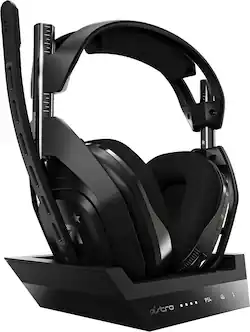
- Type Wireless Gaming & Audio Headset
- Status The Exact Headset I Use Daily
- Comfort Plush Over-Ear Acoustic Design
The headset I wear during all my gaming sessions and recording blocks, offering pristine wireless audio and long-session comfort.
Logitech Blue Yeti
Check Price
- Type USB Multi-Pattern Condenser Mic
- Status The Mic I Use for Voice Commentary
- Clarity Broadcast-Quality Vocal Capture
The reliable microphone I use for voice commentary and crisp vocal tracking during content production.
Elgato Stream Deck
Check Price
- Type Customizable LCD Macro Keypad
- Workflow Instant Scene & Application Control
- Status Essential Studio Control Unit
An indispensable tool for managing multi-streaming software, launching audio cues, and controlling studio applications on the fly.
Cameras & Studio Lighting
High-definition webcams for face cam, pedal input tracking, and soft lighting kits for professional studio visuals.
Logitech StreamCam
Check Price- Resolution 1080p at 60 FPS Streaming
- Connectivity High-Speed USB-C Interface
- Application Primary Face & Studio Broadcasting Cam
Delivers smooth, crisp 60fps video capture for clean face-cam integration during live streams and video recordings.
Logitech C920x HD Pro (Foot Cam)
Check Price
- Resolution Full HD 1080p Video Capture
- Purpose Dedicated Pedal & Footwork Cam
- Status Used for Sim Racing Input Display
The exact camera I position as my foot cam to showcase precise brake, throttle, and clutch modulation during competitive sim racing.
VEVOR Softbox Lighting Kit
Check Price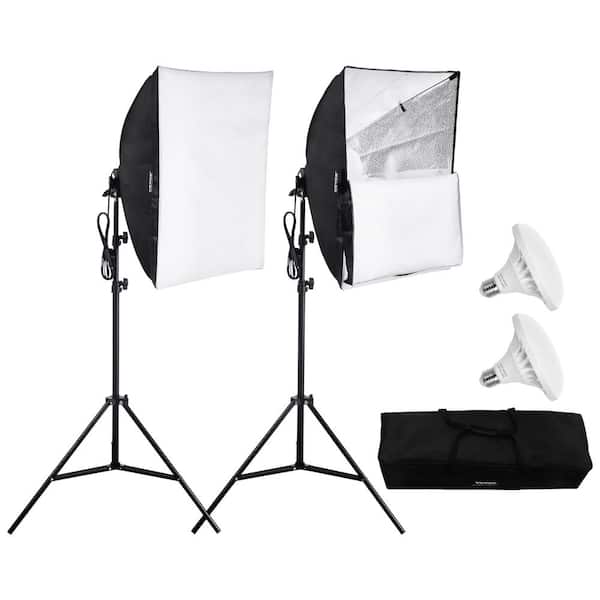
- Type Studio Diffusion Softbox Lighting
- Purpose Even, Shadow-Free Studio Illumination
- Benefit Professional Video Production Quality
Provides balanced, diffused studio lighting to ensure clean, professional video quality across all camera feeds.
Content Creation & Streaming FAQ
Can I reach out if I have questions about content creation or streaming?
Yes! I want to be available for anyone to reach out if they have any content creation related questions at all. Feel free to drop me a message through the contact page.
What software do you use for editing and paint schemes?
I use Adobe Premiere Pro to edit all my short form content and long form content, and Adobe Photoshop to create all my thumbnails and custom paint schemes myself.
Why do I need a foot cam for sim racing content?
A dedicated pedal camera adds immense value for viewers and coaching content. Being able to see smooth trail-braking, throttle application, and clutch work adds transparency and helps viewers learn proper technique.